For this brief, we will be working in groups of three and have been asked to create a proposal for an interactive installation to be displayed at the Winter Lights Festival 2021.
The aim is to create a presentation including the following:
– Concept
– Key visuals
– Animated video with audience interacting with the installation
– Prototype of your installation (arduino)
– Case study video with the summary of the previous points.
– Technical description (sketches, electronic diagrams, and materials involved)
To sum up: how would you convince the organisers of Winter Lights Festival to invest money in your idea?
The Festival
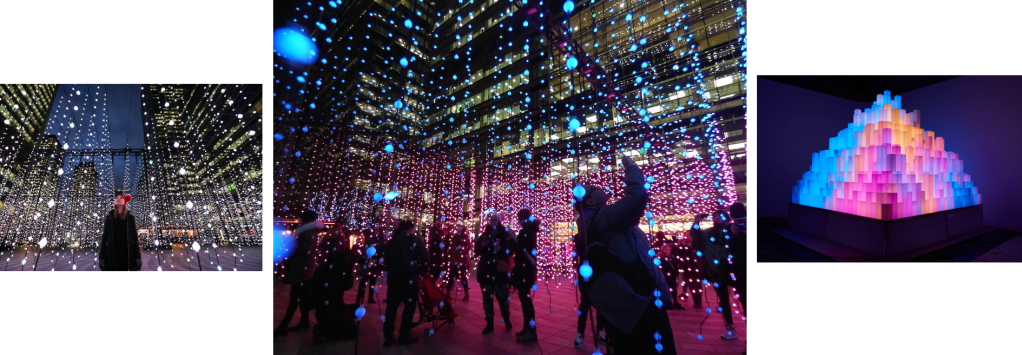
Our award-winning Winter Lights returns for a sixth year when Canary Wharf will be transformed by over 25 spectacular installations, leaving the dark winter evenings aglow. The spectacle will showcase light art and interactive installations by some of the most innovative artists across the globe working in light art today.
Some favourites have returned alongside pieces never before seen in the UK and some newly commissioned artworks. The exhibition features pieces that can be both admired from afar as well as those which will allow people to get up close and interact with them.
Inspiration from last years festival
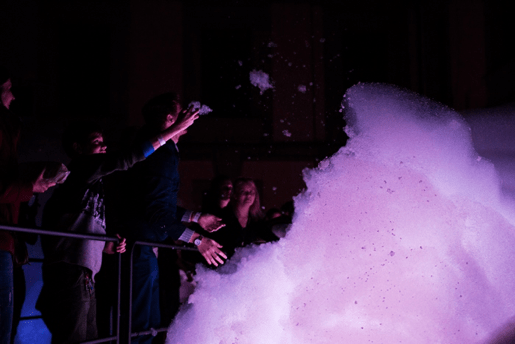
SKY ON EARTH BY UAII STUDIO, COLUMBUS COURTYARD
“This atmospheric UK premiere is inspired by the experience of a night flight over storm clouds. Columbus Courtyard will be transformed into an electrifying life sized cloud made of foam. On a walkway, travel through and touch the cloud as lighting illuminates the foam to create beautiful colours accompanying the deep throb of a thunderstorm”.
Our Views: We think this is good example of an interactive installation. It engages the audience and appeals to all ages. The sensory aspect of touching the foam is exciting and is a texture which the audience won’t be able to resist, almost like bubblewrap. For Children, this installation is particularly exciting as colourful light, and touch are involved.
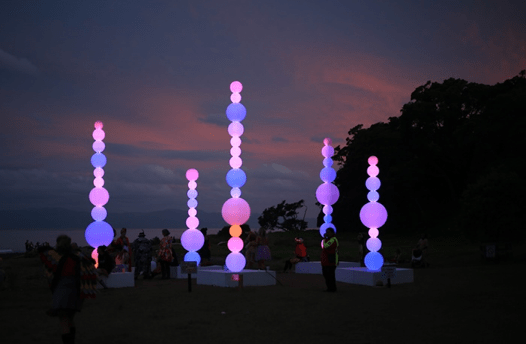
SHISH-KA-BUOY BY ANGUS MUIR DESIGN,WESTFERRY CIRCUS
“This fun installation is equally interesting by day as it is under the cover of darkness; during daylight hours, the large cluster landlocked six metre tall buoys absorb the light and give off a magical glow.
By night, thousands of LEDs inside create a whirl of colours and spherical gradients in this installation made from fully recyclable polyethylene marine buoys”.
Our Views: We have looked at this design as we like the idea of using LED lights in our own installation. We also feel that using spherical shapes will be easy to achieve and to work with.
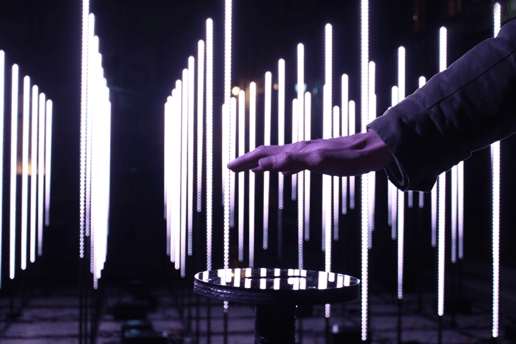
STRATUM BY STUDIO CHEVALVERT, WESTFERRY CIRCUS
Stratum is an interactive installation made up of 92 illuminated metal totems. Visitors are invited to move their hand over the sensor to trigger movement in the artwork. Sections of the installation represent different environments and elements, each with their own sound design – explore a cave, the ground, rain, lightning and the stratosphere.
Our Views: We are fond of using a sensor to trigger movement in the lights, and feel that we would be able to accomplish this using Arduino. Using sound has also appealed to us, giving us the idea to use sensors to trigger both light and sound in our installation.
Initial Ideas
For our initial ideas, we have decided to work separately to came up with our own individual designs. We will then present our plans to other team mates, making pros and cons about each design, the pull together ideas to create a final design, concept and plan for Arduino.
My Ideas:
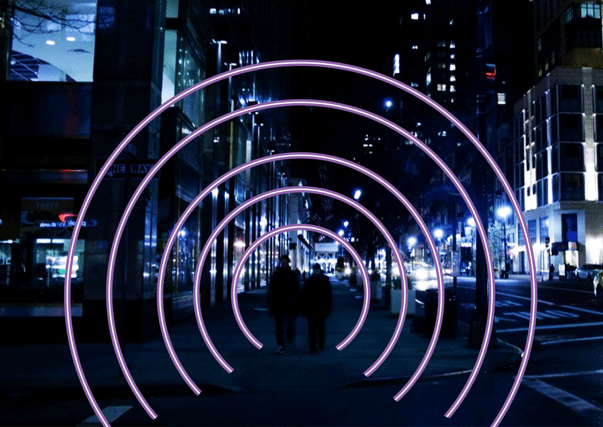
I have kept my first idea fairly simple, in order to gain a better understanding of what will be possible during the creation and use of Arduino. The idea is that sensors on the floor will trigger a change of colour in the light when people walk through. I chose a spherical shape to create a tunnel illusion and a sense of being surrounded or protected my the coloured lights.
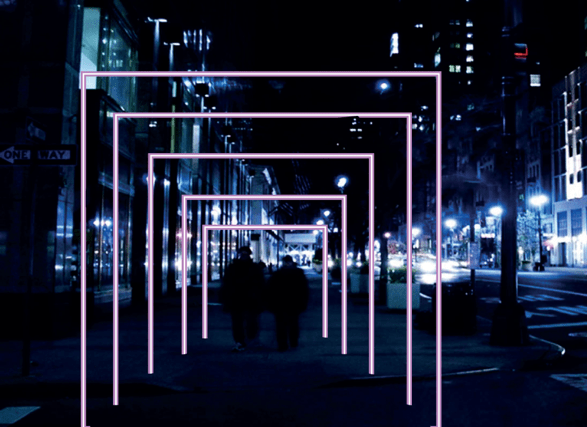
My Second idea is a bit ore complex, and has been inspired by Studio Chevalvert’s Stratum installation. When I read about the installation, the use of sensors to trigger movement and sound in the light appealed to me. I have used this concept for my first idea. The installation will be a series of individual light squares, placed in line and a small distance apart, creating a tunnel effect. As people walk through, sensors will trigger light patterns and sound. The sensors can either be placed on a flooring or on the sides and top of each square, working in a similar way to a hand dryer.
From both ideas, I prefer the concept and Arduino of the second. It is more exciting and engaging, however the square shape doesn’t add any excitement. To fix this, I will go with the spherical shape from my first idea, as the curved edges create a feeling of comfort, relaxation and intrigue of what is at the other end.
Millie’s Ideas:
Sam’s Ideas:
Review on ideas
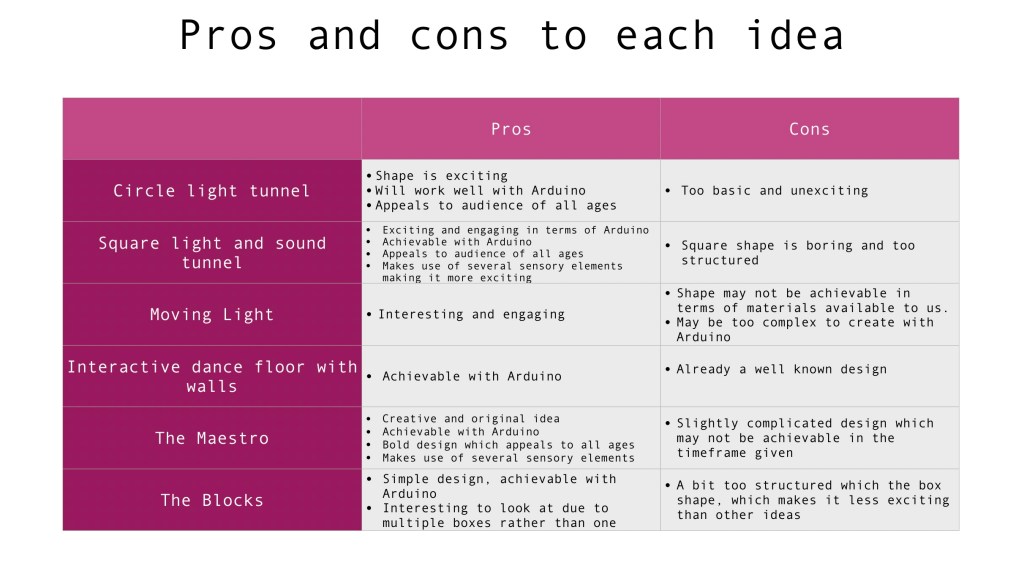
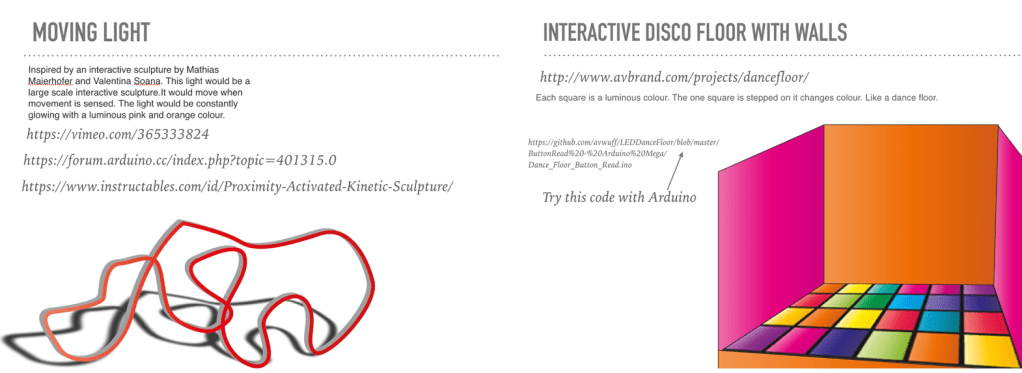
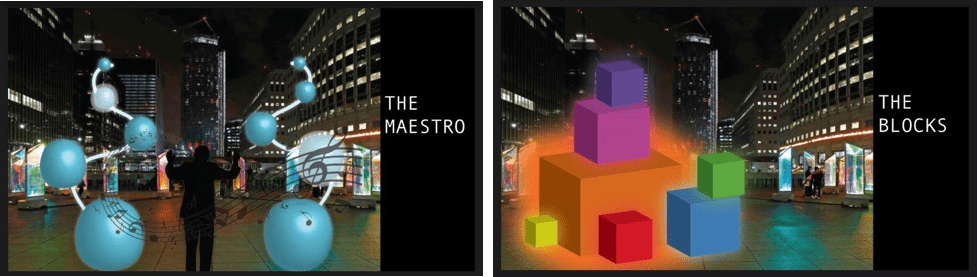
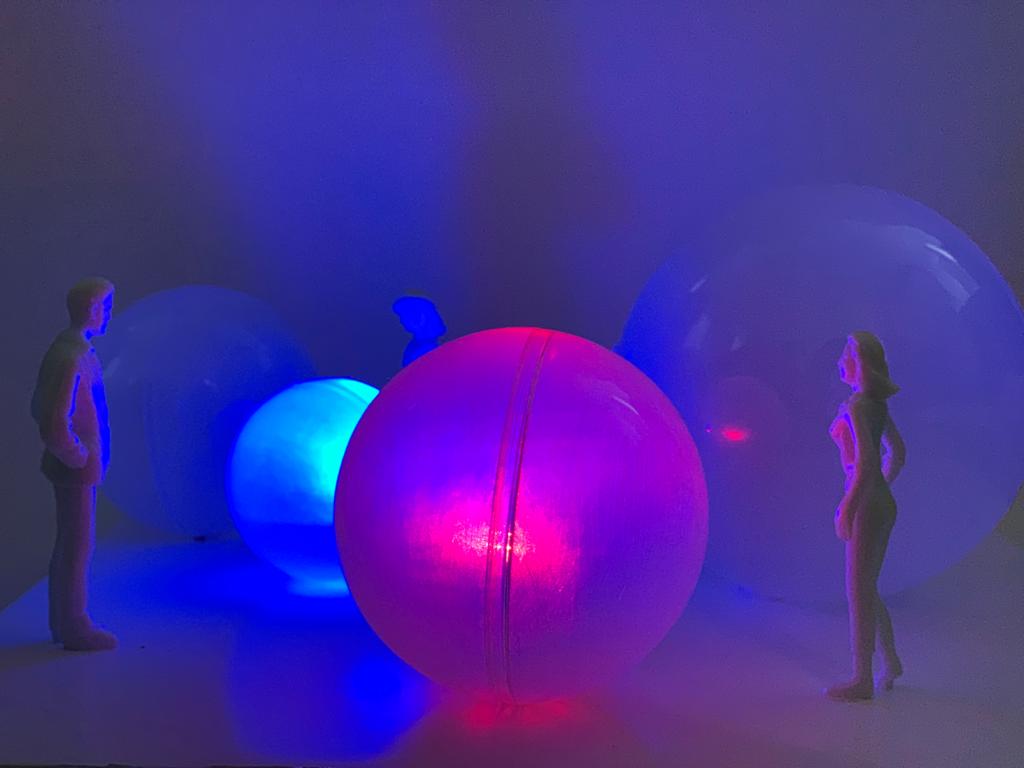
From doing a pros and cons list, we have decided that spherical/ball shapes will be the best shape to use for our design due to being able to use many materials for our prototype. After talking through all our ideas together, Sam, Millie and I decided to use Sam’s Maestro Idea. We will use spherical shapes ranging in different sizes, around three or four. Each ball will change colour when touched. We also plan to add sound which is activated by a touch sensor.
Concept
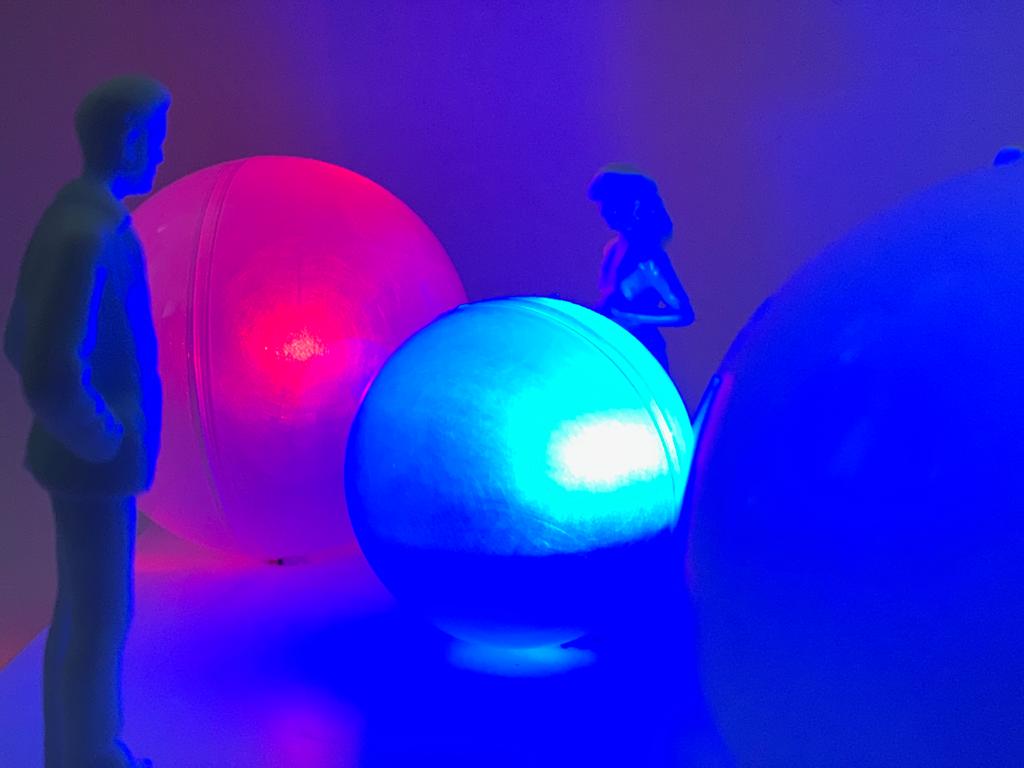
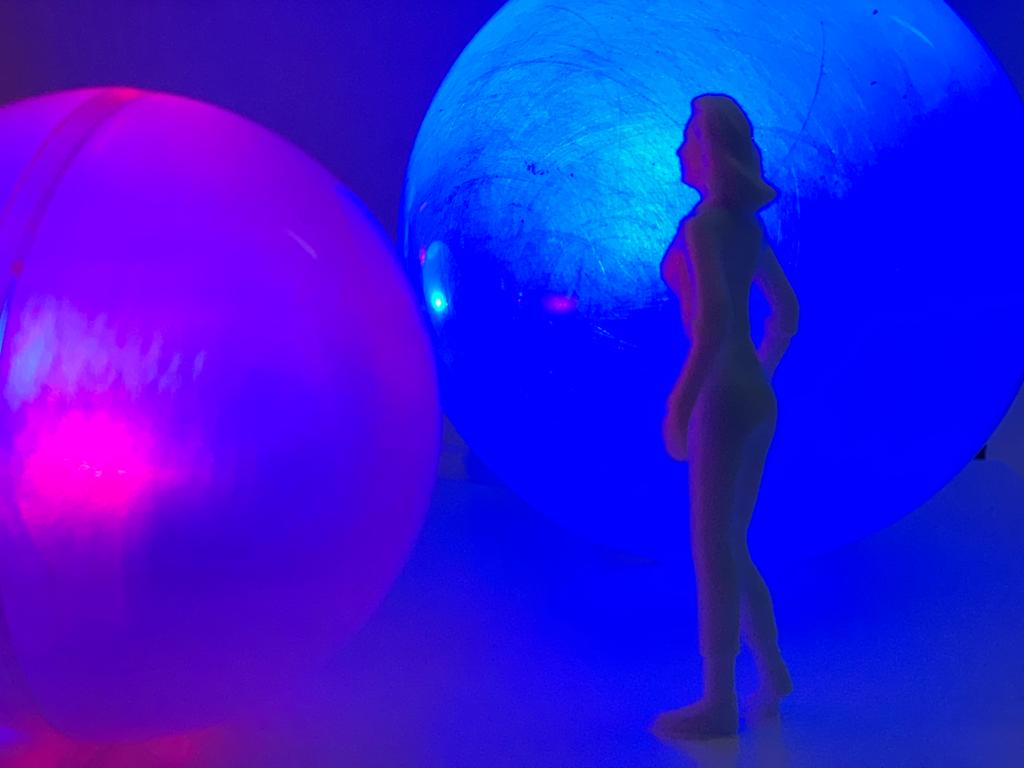
For our interactive installation, we have decided to combine the ideas of using sound and colour changes using sensors. Our installation is a bit complex, but we feel it is achievable with he materials and time frame available to us. Sensors will be used to trigger light colour changes by movement. The installation will be a series of individual balls, each ranging in sizes. When the audience touches the balls, the touch sensors will trigger LED lights inside to change colour.
For example, purple would be the default colour and when touched the balls will change colour. The reaction is instant and there is not delay between touching the sensor and the light changing. We also wanted a deep bounce or bass sound to play as the sensor is touched but we were only able to add the MP3 File to the SD card but could not find any code for the Arduino.
Our installation has been inspired by last years installation SHISH-KA-BUOY BY ANGUS MUIR DESIGN. As previously explained, this installation and design appealed to us due many different affordable material options being available to us, such as LED lights. The spherical shape is fun and easy to achieve and work with.
Arduino and Coding:
FOR THE ARDUINO WE USED:
- MP3 Sheild
- Touch sensor
- RGB LED Light
- Arduino Mega 2560
- Polythene spheres
We couldn’t figure out how to use the MP3 Shield Kit, however we put an MP3 on the SD Card but were unable to add the code.
ARDUINO CODE:
#define touchpin 25
int redPin= 29;
int greenPin = 31;
int bluePin = 33;
void setup() {
;
pinMode(redPin, OUTPUT);
pinMode(greenPin, OUTPUT);
pinMode(bluePin, OUTPUT);
pinMode(touchpin, INPUT); //sets the touch sensor as input
}
void loop() {
int touchValue = digitalRead(touchpin); //reads the touch sensor signal
if (touchValue == HIGH){ //if sensor is HIGH
digitalWrite(greenPin, HIGH); //LED will turn ON
digitalWrite(bluePin, HIGH); //LED will turn ON
digitalWrite(redPin, LOW); //LED will turn OFF
}
else{ //otherwise
digitalWrite(redPin,HIGH); //LED is turned ON
digitalWrite(bluePin,HIGH); //LED is turned ON
digitalWrite(greenPin,LOW); //LED is turned OFF
}
delay(50); //delay of 300milliseconds
}
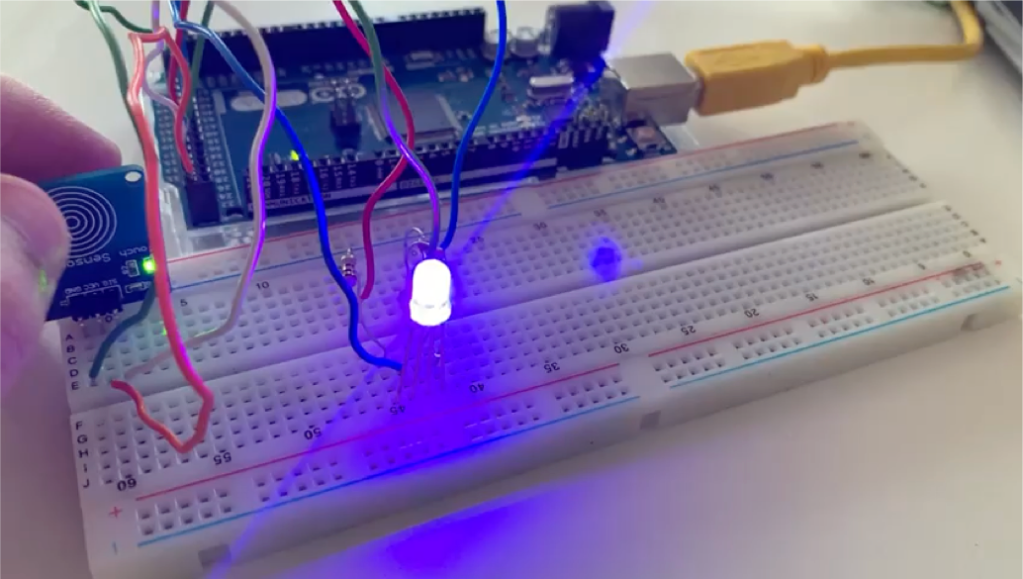
Because it’s RGB, when the touch sensor is in “Low”, it’s doesn’t detect anything. The blue and red light turn on simultaneously to make a purple light. When the touch sensor is high and detects touch, the red light will turn off and the green and blue light will turn on simultaneously to create cyan.
This shows an example of the colour we want our touch installation to be, for example, purples as the default colour and when touched the balls change colour. The reaction is instant and there is not delay between touching the sensor and the light changing.
We also wanted a deep bounce or bass sound to play as the sensor is touched but we were only able to add the MP3 File to the SD card but could not find any code for the Arduino.
ANIMATION OF PROTOTYPE INSTALLATION AND ANIMATED VIDEO OF AUDIENCE INTERACTION:
VIDEO LINK:
 Nadya Cheetham